Variables
Adding variables
Formation allows you to define and connect tk variables to your widgets.
You can do this from the variable pane accessible as Varibles from the side bar or the View menu.
You can then add variables using the + button at the top of the pane.

Variables pane
Tip
To add multiple variables without having to click on the + button each time, you can tear off the
menu by clicking on the dashed line at its top so the menu is always visible as a window.
There are four types of variables you can add:
IntVar
DoubleVar
StringVar
BooleanVar
Once you have added a variable, you can select it to view more details about it. These details include:
TypeThe type of the variable which can be any of the four mentioned above.
Name: The variable’s name which you can use to reference it in your code.
Value: The variable’s value which you can change by typing in the text box.
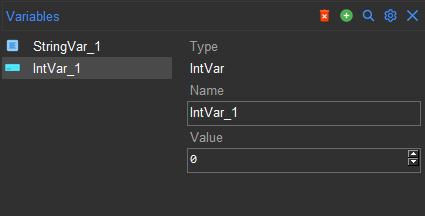
Variable details
Connecting variables to widgets
To connect a variable to a widget, you simply set the widget’s variable attribute to the variable. Some widgets
also have the textvariable or listvariable attributes, both of which can be set to a variable in a similar way.
Note
listvariable only works with StringVar.
Here is an example where a ttk.Scale widget is connected to an IntVar variable:
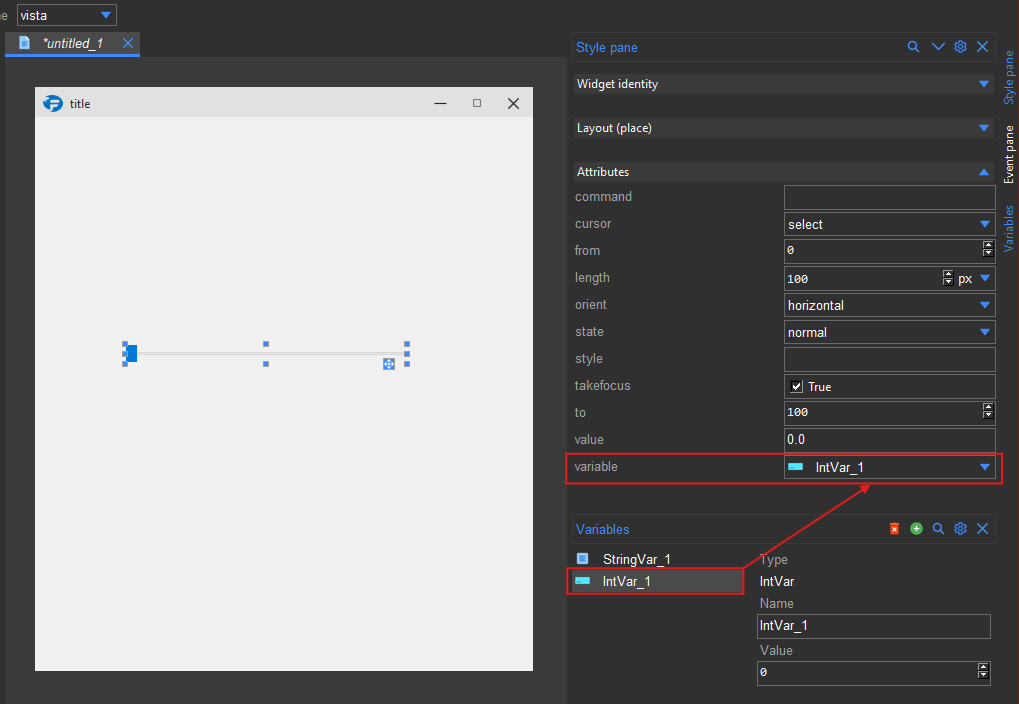
Connecting a variable to a widget
With the variable connected, you can now use it to change the widget’s value and vice versa. A single variable can be connected to multiple widgets. This allows you to keep the values of multiple widgets in sync.
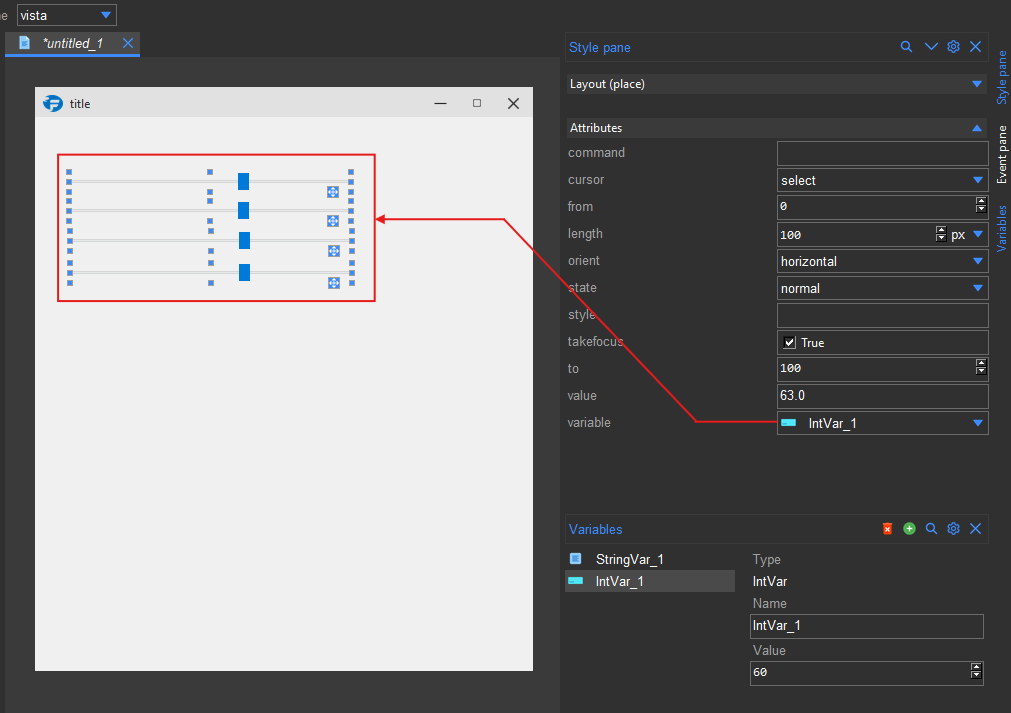
Syncing multiple widgets with a single variable
Accessing variables in your code
To access the value of a variable in your code, you first need to access the variable object using the name you gave it.
You can then use the get() and set() methods to get and set the value of the variable respectively.
Assuming you have a variable named IntVar_1 you can access it as follows:
from formation import AppBuilder

app = AppBuilder(path="hello.xml")

# Access the variable
IntVar_1 = app.IntVar_1

# Get the value of the variable
value = IntVar_1.get()
print(value)

# Set the value of the variable
IntVar_1.set(10)

app.mainloop()